Available with the July 2026 Solver update, customer admins can now request a copy of the Data Warehouse database, removing the need to submit a support ticket for this copy. This enables organizations to obtain a copy of their database, as a SQL bacpac file, for internal audit, compliance and other purposes. The Request Data Warehouse Copy feature has the following rules.
- Only available to customer admins.
- Restricted to tenant databases that are less than 35gbs.
- For tenant databases that exceed 35gbs, in-app information will inform customer admins to submit a support ticket to request a copy.
- A SQL bacpac file is generated for download. .bak and other formats of SQL backups is not supported.
- The copy being created is as of the moment of request, requesting a historical version is not available.
- If the process to create a backup fails, users will be notified to contact Solver Support.
- Only one (1) request per 24 hrs is allowed. The download link for the specific request is only available for that 24hrs.
- Users must be logged into Solver in order to download the database copy.
- An audit of when a database is requested and downloaded is also available.
How to Request a Data Warehouse Copy
The request a Data Warehouse copy
- As a customer admin, log into Solver and navigate to Settings > Administration.
- Click on the tenant that you would like to request a database copy.
- In the action bar at the top of the screen, click “Request Data Warehouse Copy“.
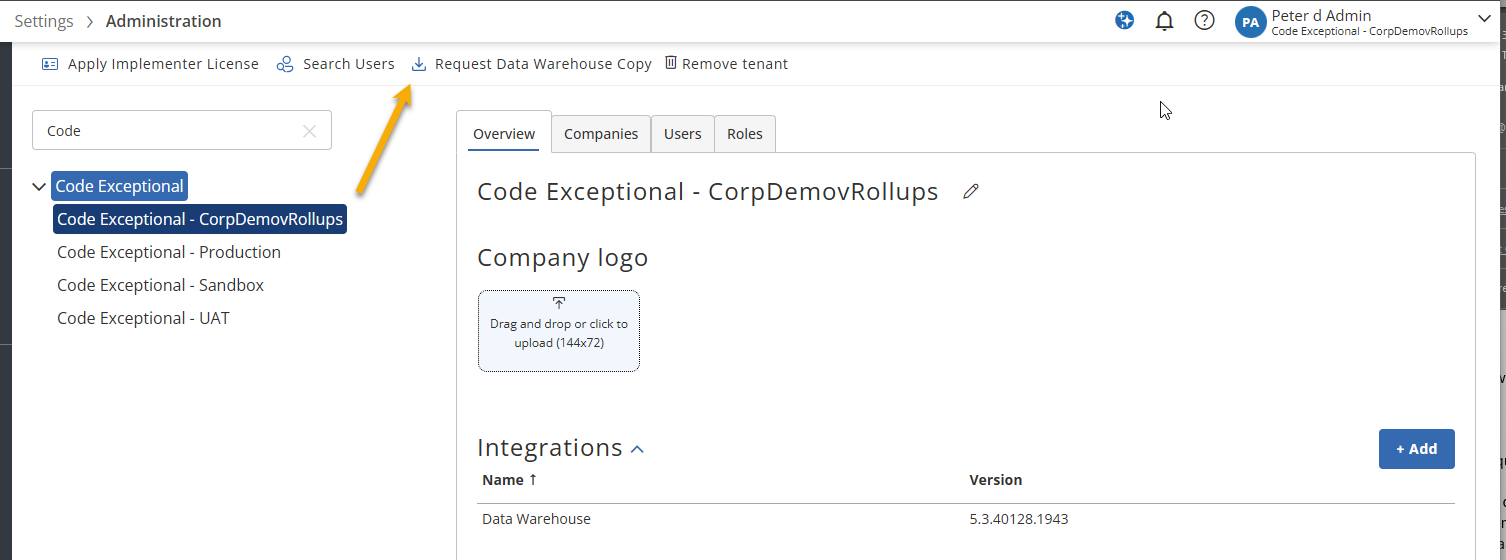
- The process will begin. you can stay on the screen or leave.
- The larger your database, the longer it will take to complete the request.
- Once the process is complete, you will receive an email and an in-app notification.
- Emails and in-app notifications must be enabled in your user settings.
- Once completed, a download link will appear in the tenant overview section for you to download.
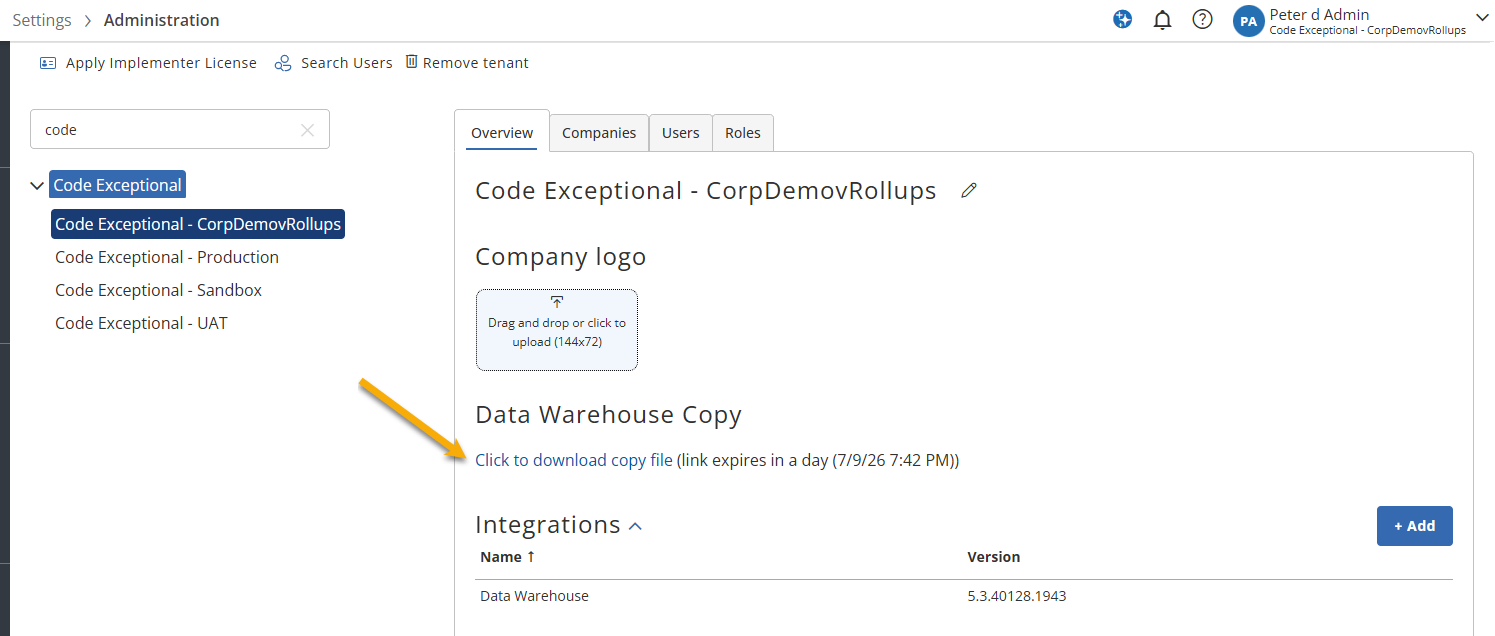
As mentioned at the top of this article, this link will be available for 24hrs. Depending on the size of the file, it may take some time to download the database.
Importing (Restoring) a .bacpac File
Solver does not support restoring the exported database to your SQL server. Please consult with your internal IT to make this copy available internally. For more information on restoring a .bacpac file, please reference this Microsoft help article.